2010年9月7日星期二

教程:在Linux用攝像頭做簡單的監控系統

Linuxaria 上提供了兩份教程,關於如何用Linux PC 上的攝像頭做簡單的遠程監控系統,可以用於家庭環境。註:原教程都是基於Ubuntu 10.04的。

第一份方案是基於 Motion 軟件的。能夠在特定環境下觸發,如聲音、特定操作等,並能用郵件、SMS遠程操縱,同時支持遠程調節亮度、對比度等。  原文

第二份方案是基於 webcam-server 的。使用更為簡單,並有GUI。

第三份方案是基於 ZoneMinder 的。這是一個專業的商業方案,能夠使用多攝像頭和閉路電視,並支持數據的採集、分析、記錄,以及遠程和半自動處理。官方教程 原文

http://linuxtoy.org/archives/linux-camera-monitor.html

2010年9月6日星期一

AV-Test Product Review and Certification Report - 2010/Q2

AV-Test Product Review and Certification Report - 2010/Q2

During the 2nd quarter of 2010 we have tested 19 security products in the areas protection, repair and usability. The "Protection" covers static and dynamic malware detection, including real-world 0-Day attack testing. In case of "Repair", we check the system disinfection and rootkit removal in detail. The "Usability" testing includes the system slow-down caused by the tools and the number of false positives. A product has to reach at least 12 points total in order to receive a certification. 13 products have fulfilled our requirements and received an AV-Test certificate. The test reports can be found here:

Product ascending order descending order Report   Certified Score: 0.0 (worst) to 6.0 (best)
Protection ascending order descending order Repair ascending order descending order Usability ascending order descending order
Avast: Internet Security 5.0 102255 yes 3.5 4.0 5.0
AVG: Internet Security 9.0 102253 yes 5.5 4.0 5.0
Avira: Premium Security Suite 10.0 102247 yes 4.0 5.5 4.0
BitDefender: Internet Security Suite 2010 102274 yes 4.5 4.0 5.5
BullGuard: Internet Security 9.0 102276 no 3.5 4.0 3.0
Eset: Smart Security 4.0 102214 yes 3.5 5.0 5.0
F-Secure: Internet Security 2010 102209 yes 5.0 5.0 5.5
G Data: Internet Security 2010/2011 102239 yes 5.5 3.5 5.5
Kaspersky: Internet Security 2010 102248 yes 5.0 5.5 5.5
McAfee: Internet Security 2010 102260 no 5.0 2.0 3.5
Microsoft: Security Essentials 1.0 102237 yes 4.0 4.5 5.5
Norman: Security Suite 8.0 102245 no 2.0 4.5 3.5
Panda: Internet Security 2010 102211 yes 5.5 5.5 5.0
PC Tools: Spyware Doctor with AntiVirus 7.0 102202 yes 5.0 4.5 3.5
Symantec: Norton Internet Security 2010 102270 yes 5.5 5.0 5.5
Trend Micro: Internet Security Pro 2010 102241 no 2.5 4.5 4.5
Webroot: Internet Security Essentials 6.1 102221 yes 3.5 4.5 4.0

Two more products were tested, but the test reports will not be published until further notice.

We’ve got issue 40 (and a new logo) for you!

It's hard to believe, but we're already at issue 40!  We've got a lot of great stuff for you in this issue, including a spiffy new logo redesign by Thorsten Wilms.  You might also notice a slight font change-that's the new (official) Ubuntu font.

This month:

  • Command and Conquer.
  • How-To : Program in Python – Part 14, Virtualize Part 3 – OpenSolaris, and ADSL Modem As A Switch.
  • Review – SOFA Statistics.
  • Top 5 – Favourite Apps.
  • plus: MOTU Interview, Ubuntu Games, My Opinion, My Story, and now with all new LoCo and Translation Team interviews!

Download issue 40 here.

iOS 上的執死雞程式

這裡好像有一些台灣的讀者,那麼先要解說一下何謂「執死雞」。據維基百科解,「執死雞」原是一個香港的足球術語,指守門員不能接穩對方射球,皮球鬆手或甩手於門前,給對方球員一個容易的機會起腳再射球。「執死雞」也就引伸到檢到便宜的意思。

曾 經聽過,最快見效的促銷方法就是「減價」,所以很多程式員都會讓他們的 iPhone/iPad 程式,在一年當中的一天甚至幾天以減價或免費作宣傳。你身邊可能曾有朋友向你介紹某個「是日免費」的程式,但當你坐下來想下載時,才發現已打回原形,要收 回原價。唉,人生中有那些事情比這更不幸呢?

Free App Tracker,就是我想說的「執死雞」程式,我已跟很多上來 Mactivity 的朋友分享過這個程式。我現在已習慣每天晚上打開 Free App Tracker,看看有那些收費程式或遊戲在當天減了價、甚至變成免費,再選出心水程式下載到 iPad 上。

希望 Apple 能如期在十一月推出 iOS 4.2,因為我執了太多的「死雞」回來,極需要 Folders 這個功能來把它們分門別類。
http://mactivityhongkong.blogspot.com/2010/09/ios.html

VLC 相關教程三則

VLC,或曰 VideoLAN Client,原是 VideoLAN 這一套流媒體解決方案中的客戶端。 但客戶端卻比整套方案更早流行了起來,成為最著名的跨平台媒體播放器和框架之一。這一方面得益於 VLC 作為 「FFmpeg 御三家」之一的身份(另外兩家是 xine 和 MPlayer),另一方面則是因為它的結構設計優良、便於維護。(射手播放器的作者曾經比較過 MPC、MPlayer 和 VLC的結構,結論是 VLC 最佳)。從UI方面來看,VLC 同時有跨平台的 CLI 和 GUI 前端,並提供了眾多的供第三方使用的API和插件, 其 GUI 功能完善 ,MPlayer 的前端中只有 SMPlayer 可與之相比,xine 則根本沒有。 (原來許多 xine-based 程序都遷移到了日漸完善的 GStreamer,所以現在 xine 自己沒什麼好用的GUI 前端。目前它的主要出場角色是作為 Linux 下KDE Phonon框架的首選後端。) 以下是三則相關教程,裡面介紹了可能許多人並不知道的 VLC 的某些功能。

Enjoy the VLC! 來源

uTorrent 正式支持 Linux ( 目前只有 Web UI )

很多人都知道了,知名 BT 客戶端 uTorrent 正在開發 Linux 版本。現在有一個好消息是,uTorrent 終於邁出了第一步,正式發佈了名為 uTorrent Server alpha for linux 的產品,這是具備 Web 控制台的 uTorrent 無頭客戶端,還沒有真正的 GUI 界面,不過 uTorrent 團隊正在繼續努力開發中。

# 截圖

sc2010032308000.png

# 下載:http://www.utorrent.com/downloads/linux

# 安裝:把下載來的壓縮包解壓,然後運行裡面的 utserver ,打開瀏覽器輸入 http://localhost:8080/gui/ ,帳戶為 admin ,密碼為空,就可以登錄uTorrent Web 控制台了。

另外,在下載前,你必須要在 uTorrent Serve 目錄下手工創建一個名為 utserver.conf 的配置文件 (詳細介紹見 docs 目錄下的 uTorrent_Server.html 文件 ) ,

utserver.conf 樣例如下:

ut_webui_port 8080
dir_active /home/
dir_torrent_files /home/tfiles/
bind_port 37455
token_auth_disable

註:uTorrent server for Linux is 目前支持 32位 Ubuntu 9.10 , Debian 5 , Fedora 12 等以上的 Linux 發行版 ( 其它未測試 ),需要 Linux kernel 2.6.13 或更新版本。

2010年9月4日星期六

新壁紙新主題 Ubuntu 10.10首個Beta發佈

Ubuntu 10.10(Maverick Meerkat)將在10月10日發佈,隨著這一日期的臨近,Ubuntu開發團隊也加快了測試版本的推出,今天,Ubuntu 10.10的首個Beta公開測試版發佈,用戶們可以體驗一下新一代Ubuntu所帶來的新鮮功能。

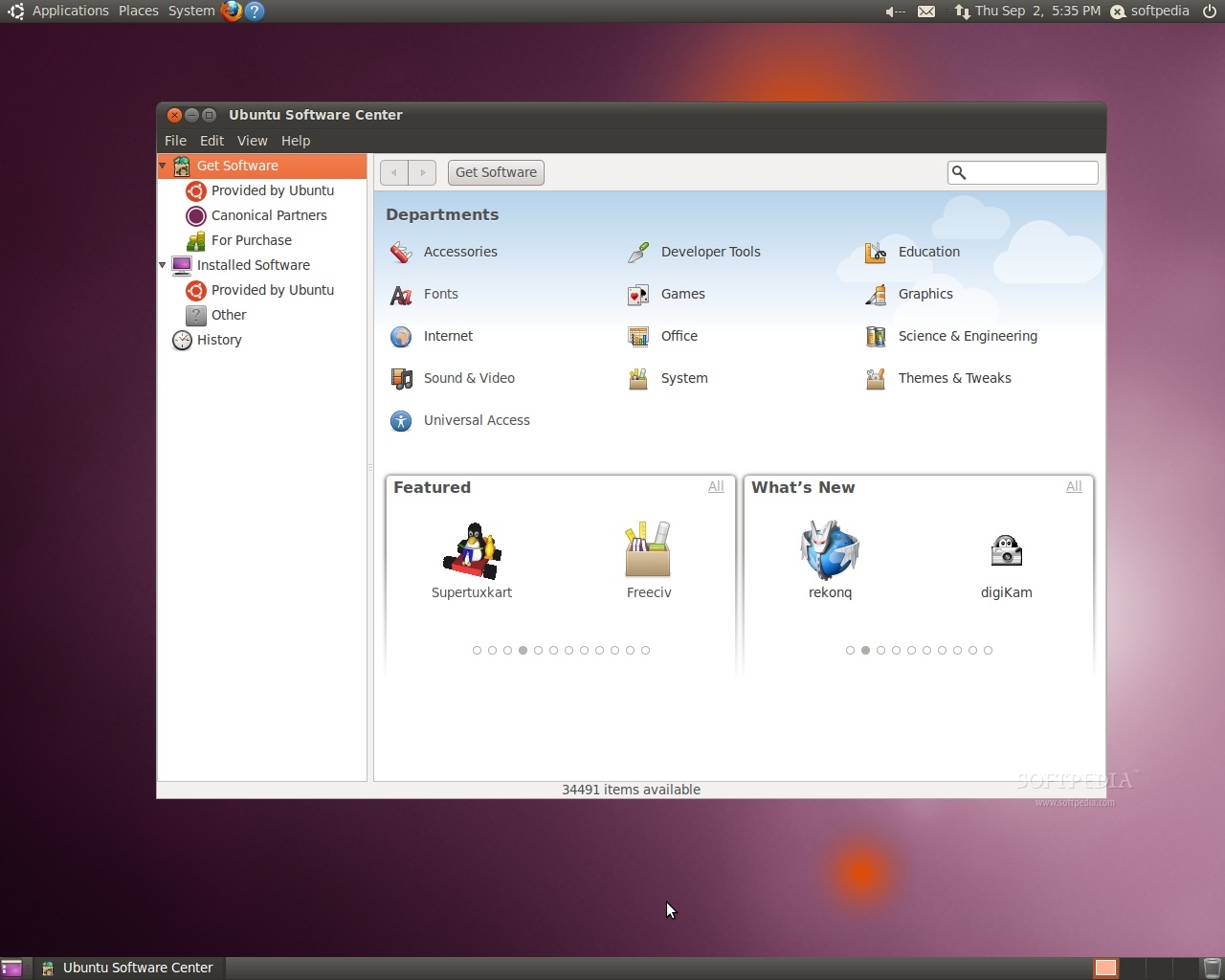
Ubuntu 10.10 Beta提供了新的主題、新的壁紙新的安裝器、 更強大的Shotwell圖片管理與編輯器。GNOME 2.32 Beta 1是其默認桌面環境,其它組件也都升級到了最新版,OpenOffice 3.2辦公軟件、Firefox 3.6瀏覽器、Transmission 2下載工具、Pidgin 2.7即時通訊軟件、Thunderbird 3.1郵件客戶端……

新壁纸新主题 Ubuntu 10.10首个Beta发布

Ubuntu 10.10 Beta的內核包升級到了2.6.35-1.28,基於Linux Kernel 2.6.35.3。

值得一提的是,Ubuntu 10.10 Beta更新了Software Center軟件中心,用戶可以從這裡輕鬆搜索、購買應用程序。

Ubuntu 10.10首个Beta测试版发布

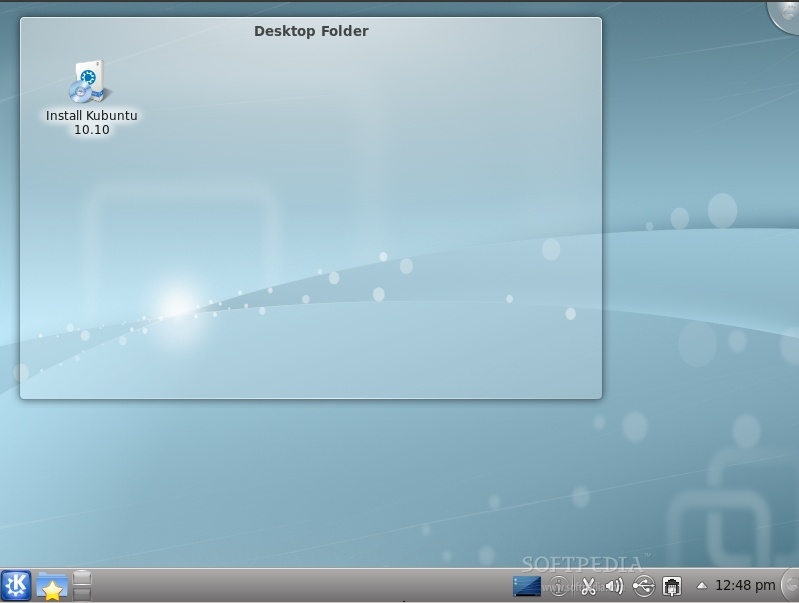
與此同時,Kubuntu 10.10 Beta和Xubuntu 10.10 Beta也可以下載試用,Kubuntu 10.10 Beta採用了KDE Software Complication 4.5.0,默認聲音服務器為PulseAudio,默認藍牙堆棧為BlueDevil,默認瀏覽器為Rekonq,Ubiquity安裝器也進行了升 級。

Ubuntu 10.10首个Beta测试版发布

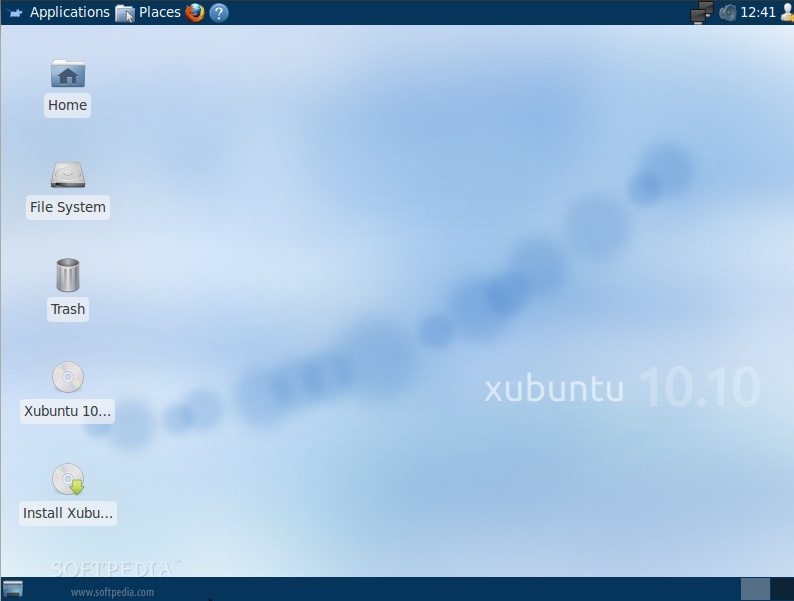
Xubuntu 10.10 Beta則基於最新的Xfce 4.6.2桌面環境,並且引入了一個新的壁紙。

Ubuntu 10.10首个Beta测试版发布

http://news.mydrivers.com/1/173/173951.htm